Tenstorrent
dstack supports running inference, training, and dev environments on
Tenstorrent Wormhole and Blackhole accelerators, including
PCIe cards and systems such as
TT-LoudBox,
TT-QuietBox and TT-QuietBox 2,
and Tenstorrent Galaxy.
Fleets
Currently, Tenstorrent accelerators are supported via SSH fleets.
To configure an SSH fleet, create a fleet configuration and list hostnames of the hosts along with the private key and username.
type: fleet
name: tt-fleet

ssh_config:
  user: root
  identity_file: ~/.ssh/id_rsa
  hosts:
    - 192.168.2.108
Host requirements
Before creating the fleet, make sure each host:
- Has Docker installed.
- Has Tenstorrent software installed, including the drivers and HugePages.
- Can be accessed by the configured SSH user with passwordless
sudo. - Runs an SSH server with
AllowTcpForwarding yes. - Allows SSH through the firewall and should block other external inbound traffic.
If placement is set to cluster, hosts can communicate with each other.
To apply the fleet configuration, run:
$ dstack apply -f tt-fleet.dstack.yml

 FLEET     RESOURCES                                                          PRICE  STATUS  CREATED
 tt-fleet  cpu=64 mem=566.1GB disk=749.6GB gpu=tt-galaxy-wh:12GB:32           $0     idle    18 sec ago
Inference
Below is a service that deploys
gpt-oss-120b on a
Tenstorrent Galaxy system using
Tenstorrent Inference Server.
type: service
name: gpt-oss-120b

image: ghcr.io/tenstorrent/tt-inference-server/vllm-tt-metal-src-release-ubuntu-22.04-amd64:0.12.0-805f43d-a45c614

env:
  - HF_TOKEN

commands:
  - |
    ulimit -n 65535
    /home/container_app_user/tt-metal/python_env/bin/python /home/container_app_user/app/src/run_vllm_api_server.py \
      --model gpt-oss-120b \
      --tt-device galaxy

port: 8000

model: openai/gpt-oss-120b

volumes:
  # Cache model weights and TT runtime artifacts on the host.
  - /mnt/data/gpt-oss-120b/cache_root:/home/container_app_user/cache_root
  - /mnt/data/gpt-oss-120b/dot-cache:/home/container_app_user/.cache

resources:
  shm_size: 32GB
  gpu: tt-galaxy-wh:32
Go ahead and run the configuration using dstack apply:
$ export HF_TOKEN=<your-hf-token>
$ dstack apply -f service.dstack.yml
Once the service is up, it will be available via the service endpoint
at <dstack server URL>/proxy/services/<project name>/<run name>/.
$ curl http://127.0.0.1:3000/proxy/services/main/gpt-oss-120b/v1/chat/completions \
    -X POST \
    -H 'Authorization: Bearer <user token>' \
    -H 'Content-Type: application/json' \
    -d '{
      "model": "openai/gpt-oss-120b",
      "messages": [
        {
          "role": "user",
          "content": "What is 17 + 25? Answer with just the number."
        }
      ],
      "max_tokens": 128
    }'
The response includes both the final answer and the model's reasoning fields
(reasoning and reasoning_content).
Additionally, the model is available via dstack's control plane UI:
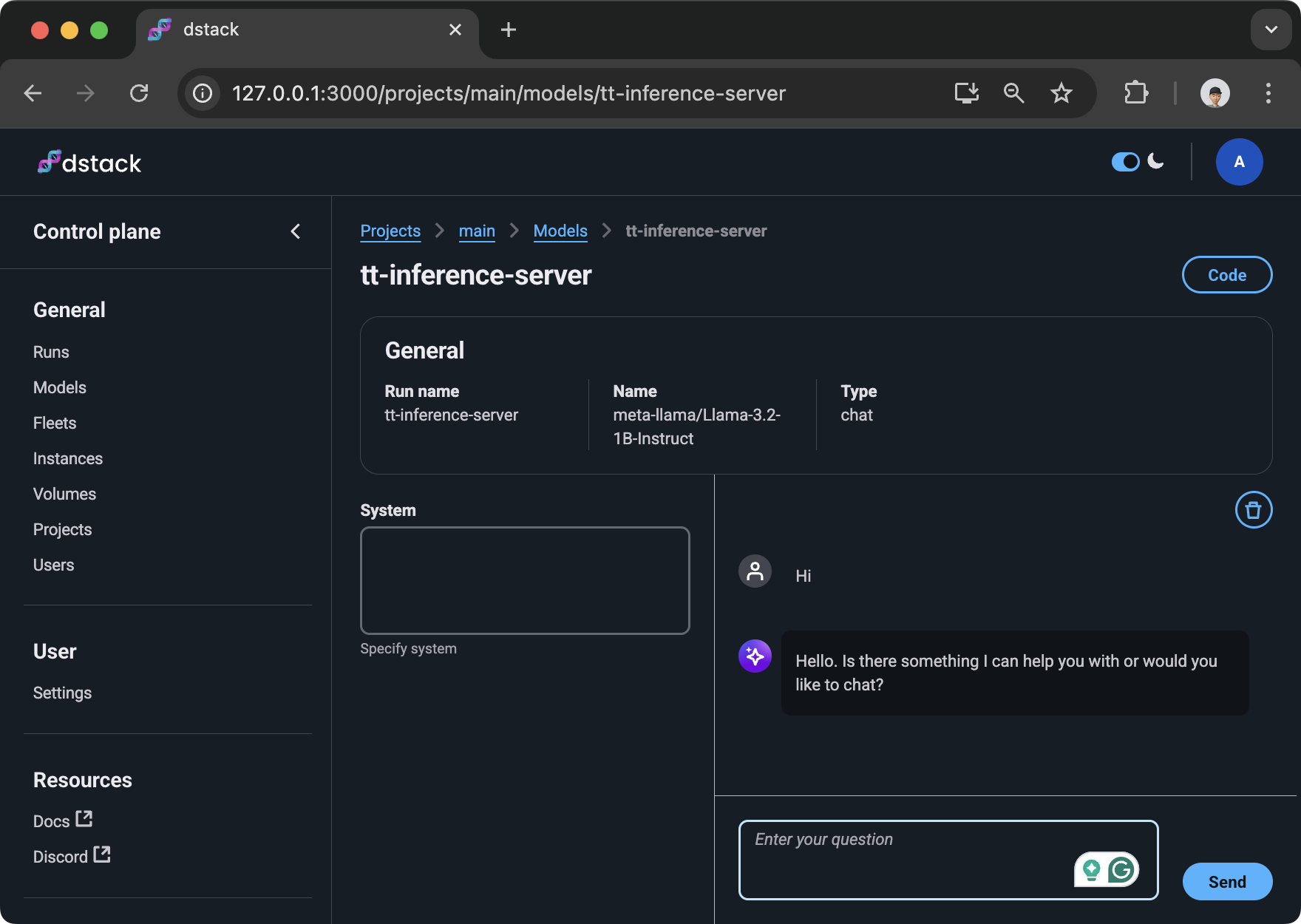
When a gateway is configured, the service endpoint
is available at https://<run name>.<gateway domain>/.
Training
Below is a minimal task that runs a TT-XLA training smoke test.
type: task
name: tt-xla-train

image: ghcr.io/tenstorrent/tt-xla-slim:latest

commands:
  - |
    python - <<'PY'
    import jax
    import jax.numpy as jnp

    devices = jax.devices("tt")
    print("TT devices:", devices)
    if not devices:
        raise SystemExit("No Tenstorrent devices found by JAX")

    with jax.default_device(devices[0]):
        params = {
            "w": jnp.ones((32, 32), dtype=jnp.bfloat16),
            "b": jnp.zeros((32,), dtype=jnp.bfloat16),
        }
        x = jnp.ones((32, 32), dtype=jnp.bfloat16)
        y = jnp.zeros((32, 32), dtype=jnp.bfloat16)

    def loss_fn(params, x, y):
        pred = x @ params["w"] + params["b"]
        err = (pred - y).astype(jnp.float32)
        return jnp.mean(err * err)

    @jax.jit
    def train_step(params, x, y):
        loss, grads = jax.value_and_grad(loss_fn)(params, x, y)
        next_params = jax.tree_util.tree_map(
            lambda p, g: p - jnp.asarray(0.01, dtype=p.dtype) * g.astype(p.dtype),
            params,
            grads,
        )
        return next_params, loss

    for step in range(3):
        params, loss = train_step(params, x, y)
        loss.block_until_ready()
        print(f"step={step} loss={float(jax.device_get(loss)):.6f}")

    print("tiny training smoke test passed")
    PY

resources:
  gpu: tt-galaxy-wh:32
For a single Wormhole PCIe card, use gpu: n150:1.
Files and repos
For longer commands, put the Python code in train.py next to
tt-task.dstack.yml and upload it with files:
type: task
name: tt-xla-train

image: ghcr.io/tenstorrent/tt-xla-slim:latest

files:
  - train.py

commands:
  - python train.py

resources:
  gpu: tt-galaxy-wh:32
If the script is part of a Git repository, use repos instead:
working_dir: /workspace

repos:
  - .:/workspace

commands:
  - python train.py
Dev environments
Below is an example dev environment configuration. It can be used to provision a dev environment that can be accessed via your desktop IDE.
type: dev-environment
# The name is optional, if not specified, generated randomly
name: vscode

image: dstackai/tt-smi:latest

# Can be `vscode` or `cursor`
ide: vscode

resources:
  gpu: tt-galaxy-wh:32
If you run it via dstack apply, it will output the URL to access it via your desktop IDE.
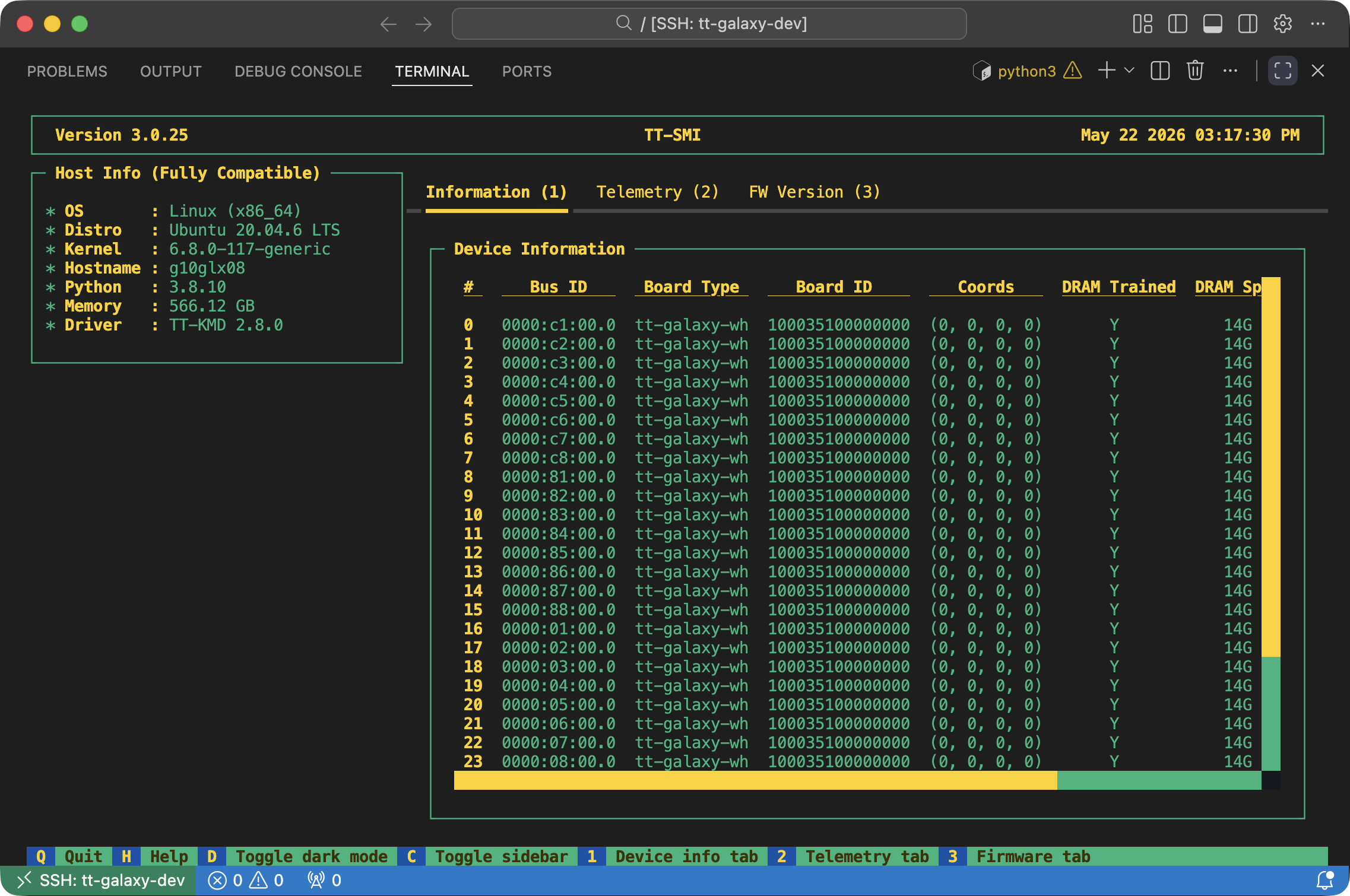
GPU specification
resources.gpu uses the usual name:count format. For Tenstorrent, count
is the number of devices reported from the TT-SMI topology. On Galaxy systems,
this corresponds to chips. On PCIe systems, this is usually the card count, but
dual-chip cards can also be reported as per-chip devices.
resources:
  gpu: tt-galaxy-wh:32  # Galaxy Wormhole, 32 chips
  # gpu: tt-galaxy-bh:32  # Galaxy Blackhole, 32 chips
  # gpu: n300:4           # TT-LoudBox or TT-QuietBox Wormhole, 4 n300 cards
  # gpu: p150:4           # TT-QuietBox Blackhole, 4 p150 cards
  # gpu: p300:64GB:2      # TT-QuietBox 2 Blackhole, 2 p300 cards
  # gpu: p300:32GB:4      # TT-QuietBox 2 Blackhole, if exposed per chip
Use tt:<count> only when the workload can run on any Tenstorrent device type.
Use a model name when placement depends on the hardware family: n150 or
n300 for Wormhole PCIe cards, tt-galaxy-wh for Galaxy Wormhole, p100a,
p150, or p300 for Blackhole PCIe cards, and tt-galaxy-bh for Galaxy
Blackhole.
What's next?
- Check Services, Tasks, Dev environments, and SSH fleets.
- Browse Tenstorrent Inference Server, TT-XLA, and TT-Metalium.
Feedback
Found a bug, or want to request a feature? File it in the issue tracker, or share via Discord.