Events
Events provide a chronological record of notable state changes and operations affecting dstack resources. They are designed for auditing, debugging, and understanding the lifecycle of runs, jobs, fleets, and other resources.
Each event includes the following fields:
| Field | Description |
|---|---|
| Timestamp | When the event occurred |
| Actor | The user or system that initiated the change, if applicable |
| Targets | The resources affected by the event |
| Message | A description of the change or additional event details |
Events can be queried by targeting a specific resource or within a group of related resources. For example, you can query events targeting a particular job, or query events within a run, including the run itself and all of its jobs.
Events are accessible through the UI, CLI, and API.
UI
In the UI, the Events tab is included on the run, job, fleet, and instance pages. It shows events within that specific group. For example, if you open a run and switch to the Events tab, you will see all events about that run and its jobs.
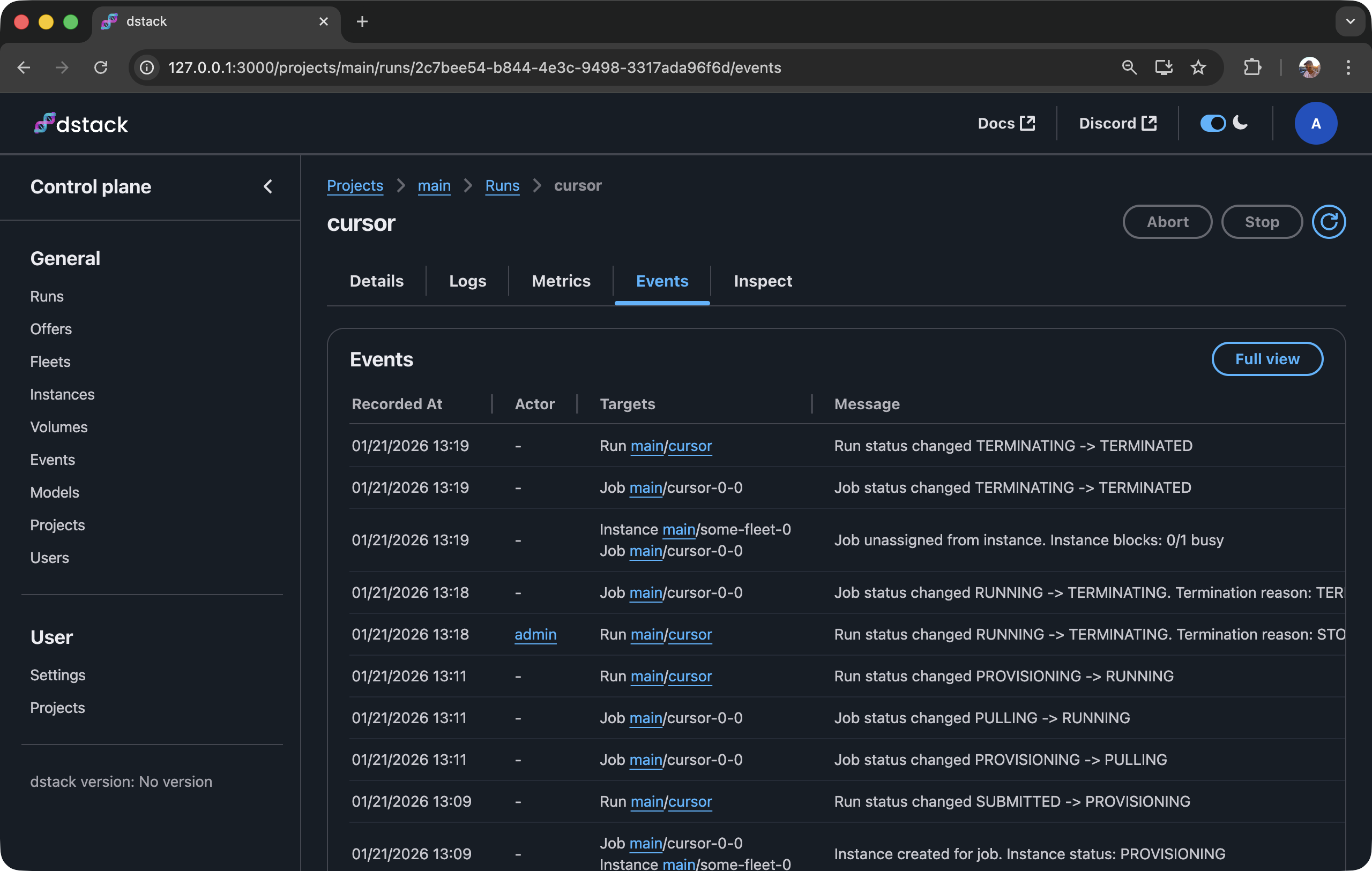
The global
Eventspage with advanced filtering is only available in dstack Sky and dstack Factory.
CLI
To query events via the CLI, use the dstack event command.
Here is an example of querying all events within a particular run:
$ dstack event --within-run cursor

[2026-01-21 13:09:37] [👤admin] [run cursor] Run submitted. Status: SUBMITTED
[2026-01-21 13:09:37] [job cursor-0-0] Job created on run submission. Status: SUBMITTED
[2026-01-21 13:09:57] [job cursor-0-0] Job status changed SUBMITTED -> PROVISIONING
[2026-01-21 13:09:58] [job cursor-0-0, instance some-fleet-0] Instance created for job. Instance status: PROVISIONING
[2026-01-21 13:09:59] [run cursor] Run status changed SUBMITTED -> PROVISIONING
[2026-01-21 13:11:22] [job cursor-0-0] Job status changed PROVISIONING -> PULLING
[2026-01-21 13:11:49] [job cursor-0-0] Job status changed PULLING -> RUNNING
[2026-01-21 13:11:51] [run cursor] Run status changed PROVISIONING -> RUNNING
[2026-01-21 13:18:41] [👤admin] [run cursor] Run status changed RUNNING -> TERMINATING. Termination reason: STOPPED_BY_USER
[2026-01-21 13:18:48] [job cursor-0-0] Job status changed RUNNING -> TERMINATING. Termination reason: TERMINATED_BY_USER
[2026-01-21 13:19:05] [instance some-fleet-0, job cursor-0-0] Job unassigned from instance. Instance blocks: 0/1 busy
[2026-01-21 13:19:05] [job cursor-0-0] Job status changed TERMINATING -> TERMINATED
[2026-01-21 13:19:07] [run cursor] Run status changed TERMINATING -> TERMINATED
If you invoke the command without arguments, it shows the last events targeting resources in the current project.
The command supports arguments for narrowing down the output:
--target-fleet,--target-run,--target-volume,--target-gateway, and--target-secretonly show events that target the specified resource itself.--within-fleet,--within-run, and--within-gatewayalso include events about the resources it contains: instances within a fleet, jobs within a run, and replicas within a gateway.--include-target-typeonly shows events that target entities of the specified types, e.g.joborinstance.--sinceonly shows events newer than the specified duration (e.g.10s,5m,1d) or RFC 3339 timestamp. If not specified, the last 100 events are shown.-w(--watch) streams new events in realtime as they are recorded.
To see all supported arguments, check the reference.
TTL
By default, dstack stores each event for 30 days and then deletes it. This can be overridden by server administrators using the DSTACK_SERVER_EVENTS_TTL_SECONDS environment variable.