How Toffee streamlines inference and cut GPU costs with dstack
In a recent engineering blog post, Toffee shared how they use dstack to run large-language and image-generation models across multiple GPU clouds, while keeping their core backend on AWS. This case study summarizes key insights and highlights how dstack became the backbone of Toffee’s multi-cloud inference stack.
Toffee builds AI-powered experiences backed by LLMs and image-generation models. To serve these workloads efficiently, they combine:
- GPU neoclouds such as Runpod and Vast.ai for flexible, cost-efficient GPU capacity
- AWS for core, non-AI services and backend infrastructure
- dstack as the orchestration layer that provisions GPU resources and exposes AI models via
dstackservices and gateways
Most user-facing logic lives in AWS. The backend communicates with AI services through dstack gateways, each running on an EC2 instance inside Toffee’s AWS perimeter and exposed via Route 53 private hosted zones. dstack, in turn, manages GPU workloads on GPU clouds, abstracting away provider differences.
Unlike the major hyperscalers (AWS, GCP, Azure), GPU neoclouds have historically offered more limited infrastructure-as-code (IaC) support, so teams often had to build their own tooling to provision and manage workloads at scale.
Toffee ran LLM and image-generation workloads across several GPU providers, but:
- Each provider had its own APIs and quirks
- Maintaining custom scripts and Terraform modules became increasingly painful as they scaled
They needed a unified orchestration layer that:
- Worked across their GPU providers
- Didn’t require Toffee to build and maintain its own orchestration platform
dstack became the core of Toffee’s infrastructure by providing a declarative, cloud-agnostic way to provision GPUs and run services across multiple providers.
Since we switched to
dstack, we’ve cut the overhead of GPU-cloud orchestration by more than 50%. What used to take hours of custom Terraform + CLI scripting now deploys in minutes with a single declarative config — freeing us to focus on modelling, not infrastructure.— Nikita Shupeyko, AI/ML & Cloud Infrastructure Architect at Toffee
Toffee primarily uses these dstack components:
- Services – to define and run inference endpoints for LLM and image-generation models, including replica counts and resource requirements
- Gateways – EC2-based entry points inside AWS that expose
dstackservices to the Toffee backend as secure and auto-scalable model endpoints - Dashboard UI – to manage active workloads, see where services are running, and track usage and cost across providers
This architecture lets Toffee:
- Deploy new AI services via declarative configs instead of hand-rolled scripts
- Switch between providers like GPU clouds without changing service code
- Keep all AI traffic flowing through their AWS network perimeter

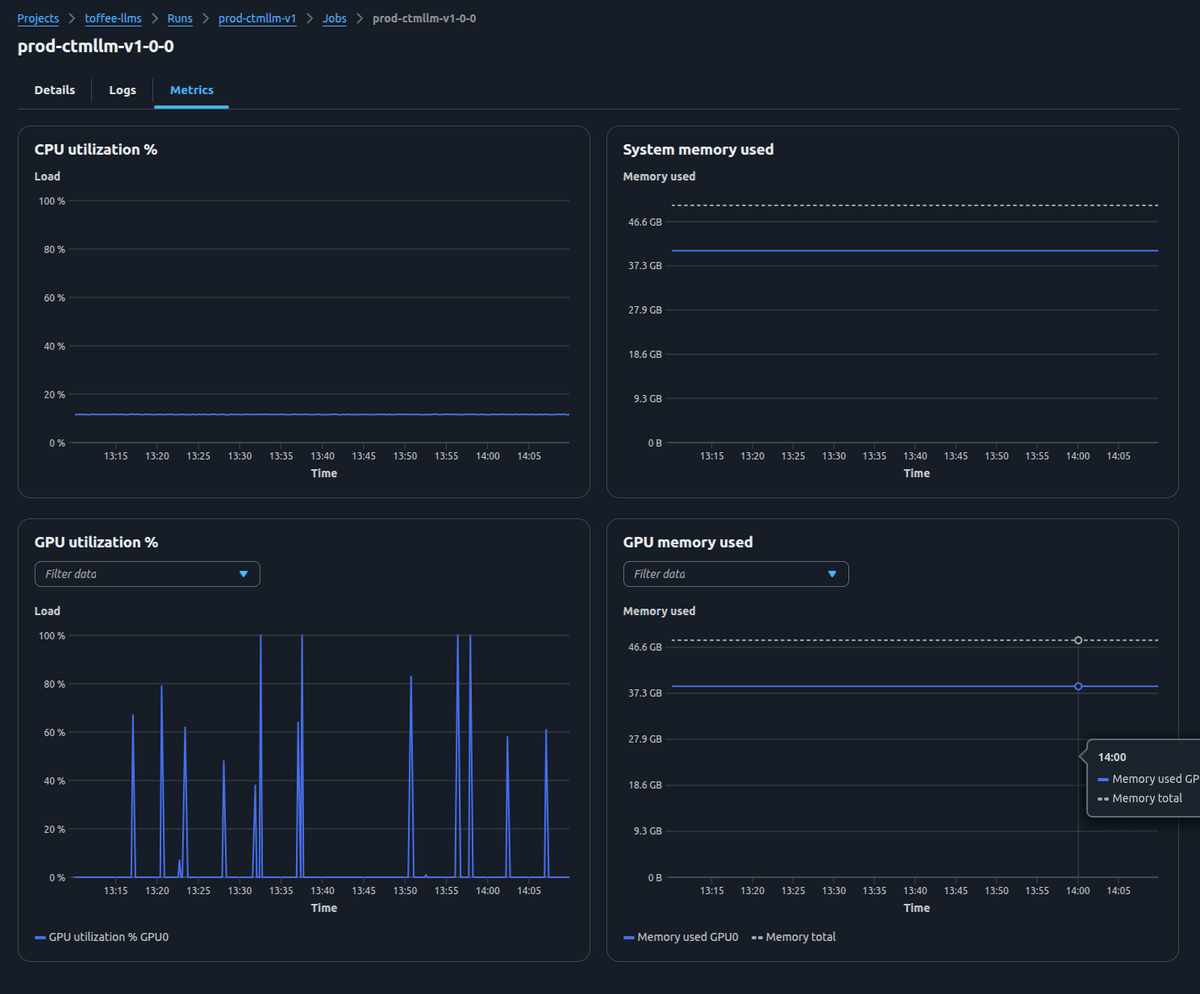
Beyond oechestration, Toffee relies on dstack’s UI as a central observability hub for their GPU workloads across GPU clouds. From dstack UI, they can:
- See all active runs with resource allocations, costs, and current status across providers
- Inspect service-level dashboards for each AI endpoint
- Drill down into replica-level metrics, incl. GPU and CPU utilization, memory consumption, and instance-level logs and configuration details.
Thanks to dstack’s seamless integration with GPU neoclouds like Runpod and Vast.ai, we’ve been able to shift most workloads off hyperscalers — reducing our effective GPU spend by roughly 2–3× without changing a single line of model code.
— Nikita Shupeyko, AI/ML & Cloud Infrastructure Architect at Toffee
Before adopting dstack, there were serious drawbacks:
- Significant maintenance overhead as they scaled to more services and providers
- Limited support for zero-downtime deployments and autoscaling
- Additional engineering effort required to build features that platforms like
dstackalready provided
As Toffee’s user base and model footprint grew, investing further in home-grown orchestration stopped making sense. With dstack in place, Toffee’s model and product teams spend more time on experimentation and user experience, and less firefighting and maintaining brittle tooling.
Huge thanks to Kamran and Nikita from Toffee’s team for sharing these insights. For more details, including the diagrams and some of hte open-source code, check out the original blog post in Toffee's research blog.
What's next?
- Check dev environments, tasks, services, and fleets
- Follow Quickstart
- Browse Examples