Events
Events provide a chronological record of notable state changes and operations affecting dstack resources. They are designed for auditing, debugging, and understanding the lifecycle of runs, jobs, fleets, and other resources.
Each event includes the following fields:
| Field | Description |
|---|---|
| Timestamp | When the event occurred |
| Actor | The user or system that initiated the change, if applicable |
| Targets | The resources affected by the event |
| Message | A description of the change or additional event details |
Events can be queried by targeting a specific resource or within a group of related resources. For example, you can query events targeting a particular job, or query events within a run, including the run itself and all of its jobs.
Events are accessible through the UI, CLI, and API.
UI
The UI allows you to query events either globally on the dedicated Events page or within a specific group on the page of a run, job, fleet, and other resources.
Global page
The global page shows events from all projects that the user has access to and allows filtering by many fields.
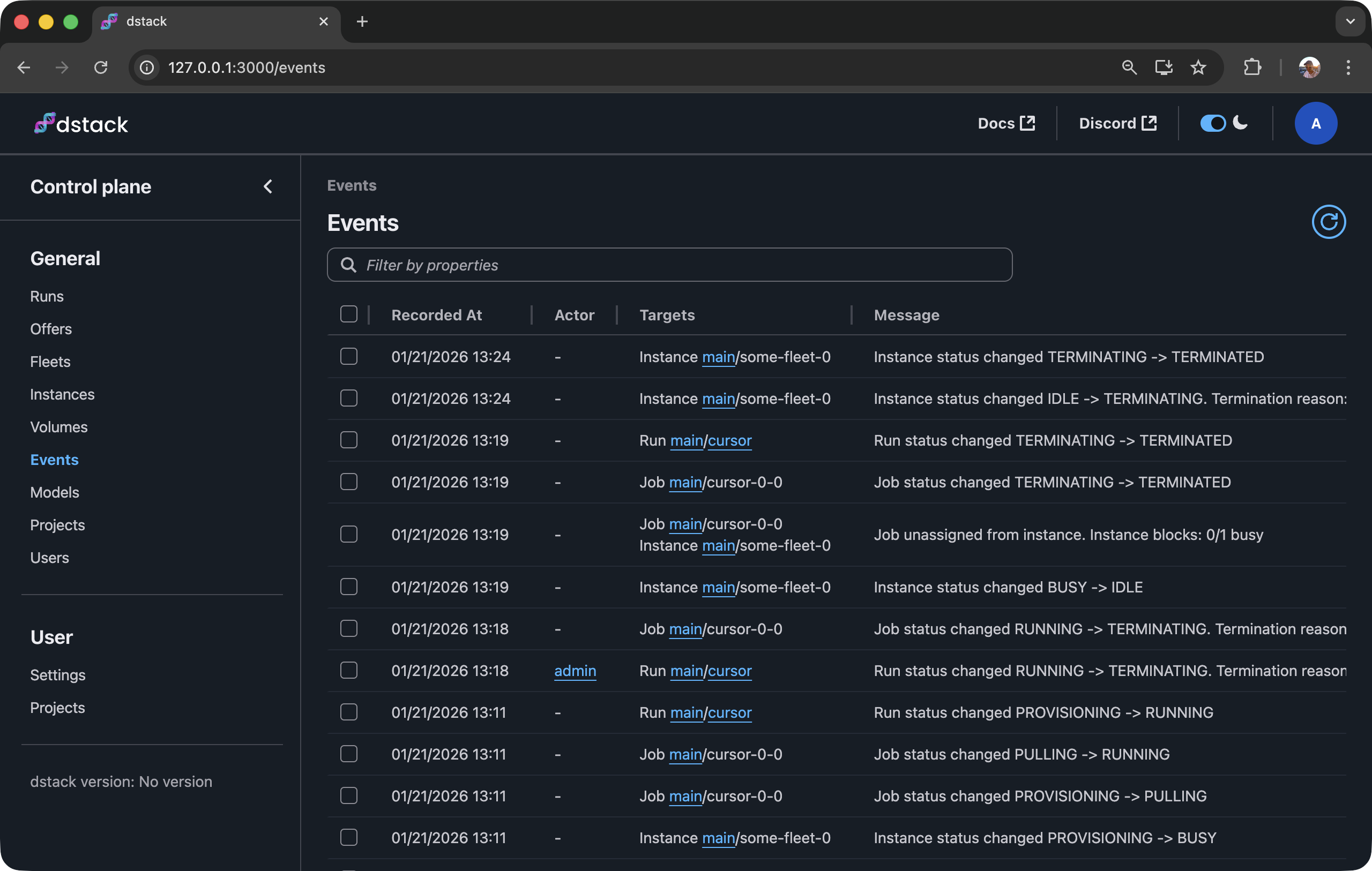
This page allows you to query events targeting a specific resource or within a particular group.
Resource page
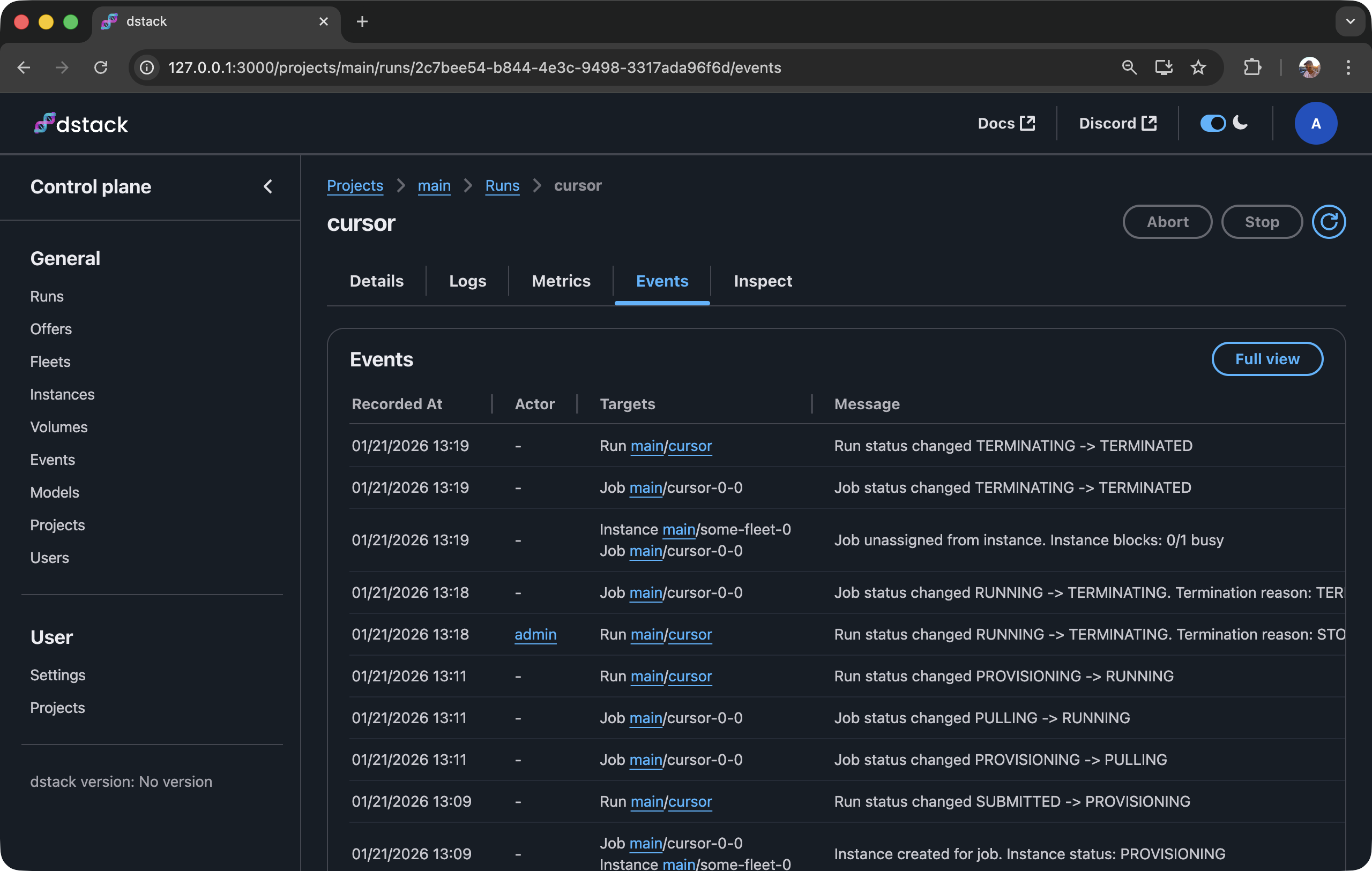
The resource page shows events within that specific group. For example, if you open a run and switch to the Events tab, you will see all events about that run and its jobs.
CLI
To query events via the CLI, use the dstack event command. This command provides several arguments that allow filtering by target and within scopes.
Here is an example of querying all events within a particular run:
$ dstack event --within-run cursor

[2026-01-21 13:09:37] [👤admin] [run cursor] Run submitted. Status: SUBMITTED
[2026-01-21 13:09:37] [job cursor-0-0] Job created on run submission. Status: SUBMITTED
[2026-01-21 13:09:57] [job cursor-0-0] Job status changed SUBMITTED -> PROVISIONING
[2026-01-21 13:09:58] [job cursor-0-0, instance some-fleet-0] Instance created for job. Instance status: PROVISIONING
[2026-01-21 13:09:59] [run cursor] Run status changed SUBMITTED -> PROVISIONING
[2026-01-21 13:11:22] [job cursor-0-0] Job status changed PROVISIONING -> PULLING
[2026-01-21 13:11:49] [job cursor-0-0] Job status changed PULLING -> RUNNING
[2026-01-21 13:11:51] [run cursor] Run status changed PROVISIONING -> RUNNING
[2026-01-21 13:18:41] [👤admin] [run cursor] Run status changed RUNNING -> TERMINATING. Termination reason: STOPPED_BY_USER
[2026-01-21 13:18:48] [job cursor-0-0] Job status changed RUNNING -> TERMINATING. Termination reason: TERMINATED_BY_USER
[2026-01-21 13:19:05] [instance some-fleet-0, job cursor-0-0] Job unassigned from instance. Instance blocks: 0/1 busy
[2026-01-21 13:19:05] [job cursor-0-0] Job status changed TERMINATING -> TERMINATED
[2026-01-21 13:19:07] [run cursor] Run status changed TERMINATING -> TERMINATED
To see all supported arguments, check the reference.
If you invoke the command without arguments, it will include all events targeting resources in the project.
TTL
By default, dstack stores each event for 30 days and then deletes it. This can be overridden by server administrators using the DSTACK_SERVER_EVENTS_TTL_SECONDS environment variable.